Household expense tracker
Split expenses. Share only what you choose.
Split the rent and the groceries. Keep your salary to yourself.
Short answer
Kubear lets you split expenses with family or flatmates and see who owes what. It separates Personal money from a shared Household space. Your own records stay private. Family members see only what you put into the shared space, and every active member is equal. Shared expenses can be split with exact shares.
What stays private and what is shared?
Personal is yours alone. Joining a household does not open it. Only records you choose to put into the shared space are visible to the other members. Access is checked on the server, not just hidden on the screen.
Each person signs in with their own mobile number. There is no shared login.
How do I split an expense?
Record the bill, say who paid, and give each person an exact share. Take ₹30,000 of rent paid by you. You type ₹18,000 for yourself and ₹12,000 for your flatmate. The shares must add up to the bill, and Kubear shows that your flatmate owes you ₹12,000.
An equal split would be ₹15,000 each. How to split is for the people involved to agree. Kubear records what you decide. To try the numbers for a trip or a group bill first, use the split expenses calculator.
How are payments settled?
When your flatmate pays you back, you record the settlement and the balance goes down. If it was recorded by mistake, a reversal puts it right. Kubear records who owes whom. It does not move any money.
Who can invite people?
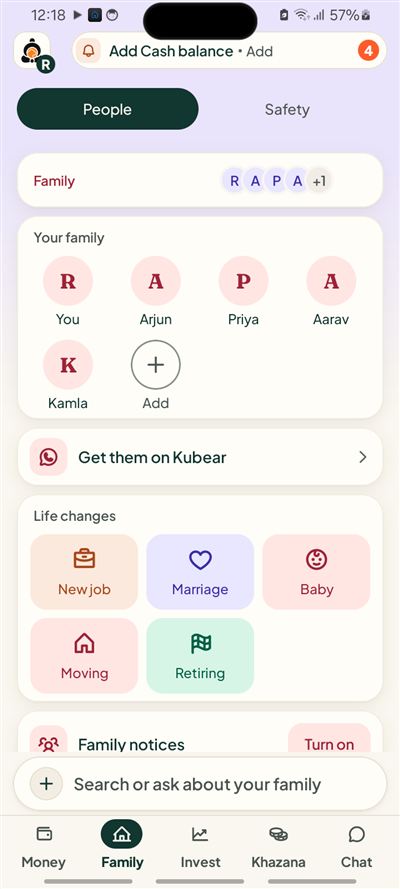
You can invite your partner, parents or flatmates. Every active member is equal, so there are no ranks inside the household.
Who is this for?
Couples who pay for a home together, flatmates who share rent and groceries, and families who help parents or children with bills. In each case some money is shared and some is not. Kubear keeps the line between them clear, so one person is never reading the other's salary by accident.
What does a household month look like?
Say you and your partner share a flat. Rent is ₹30,000, groceries ₹9,000 and electricity ₹2,400. You add those three to the shared space and split them. Your own salary, your own savings and your own policies stay in Personal. At month end the shared space shows what was spent together and who still owes whom.
Does everyone need the app?
Each member needs Kubear on their own Android phone and signs in with their own number. You can invite them from the Family page.
At a glance
Personal stays private
Joining a household shares nothing by itself.
Exact shares
You type each share and they add up to the bill.
Equal members
No ranks. Each person signs in alone.
Related